
Token Management
Tokens are API credentials — each token can have its own permission scope and quota limit
Tokens, shown as API Keys in the console, are API credentials. Each token can be independently configured with its own permission scope, quota limit, and routing policy. Click "API Keys" in the left sidebar, or visit /keys directly.
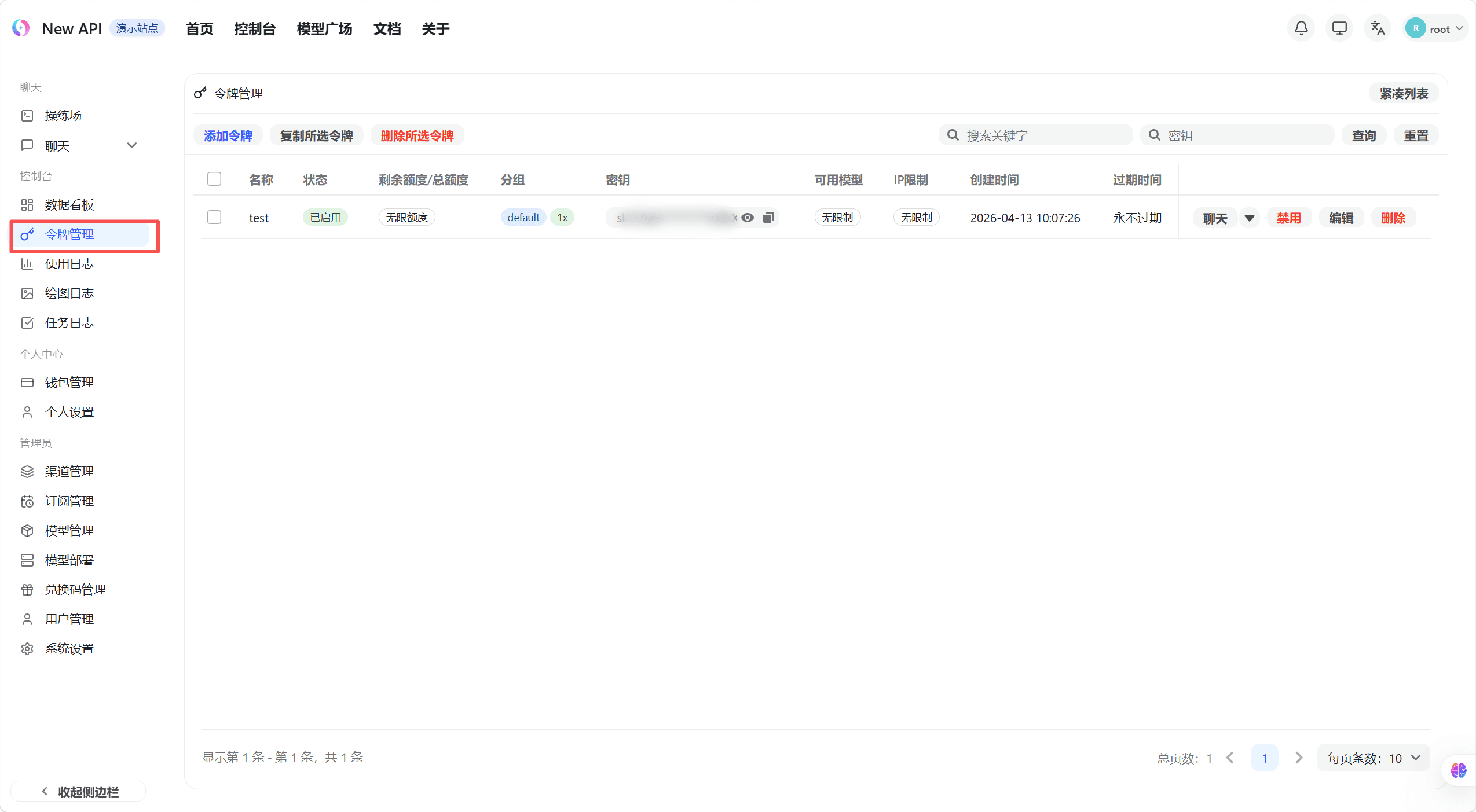
The token list shows all created tokens with their name, status, used quota, remaining quota, and expiration time.
Create a Token
- Click the "Create Token" button in the top-right of the token list page — a creation dialog appears
- Enter a token name (name it by purpose, e.g. "Production" or "Testing")
- Configure the following options as needed:
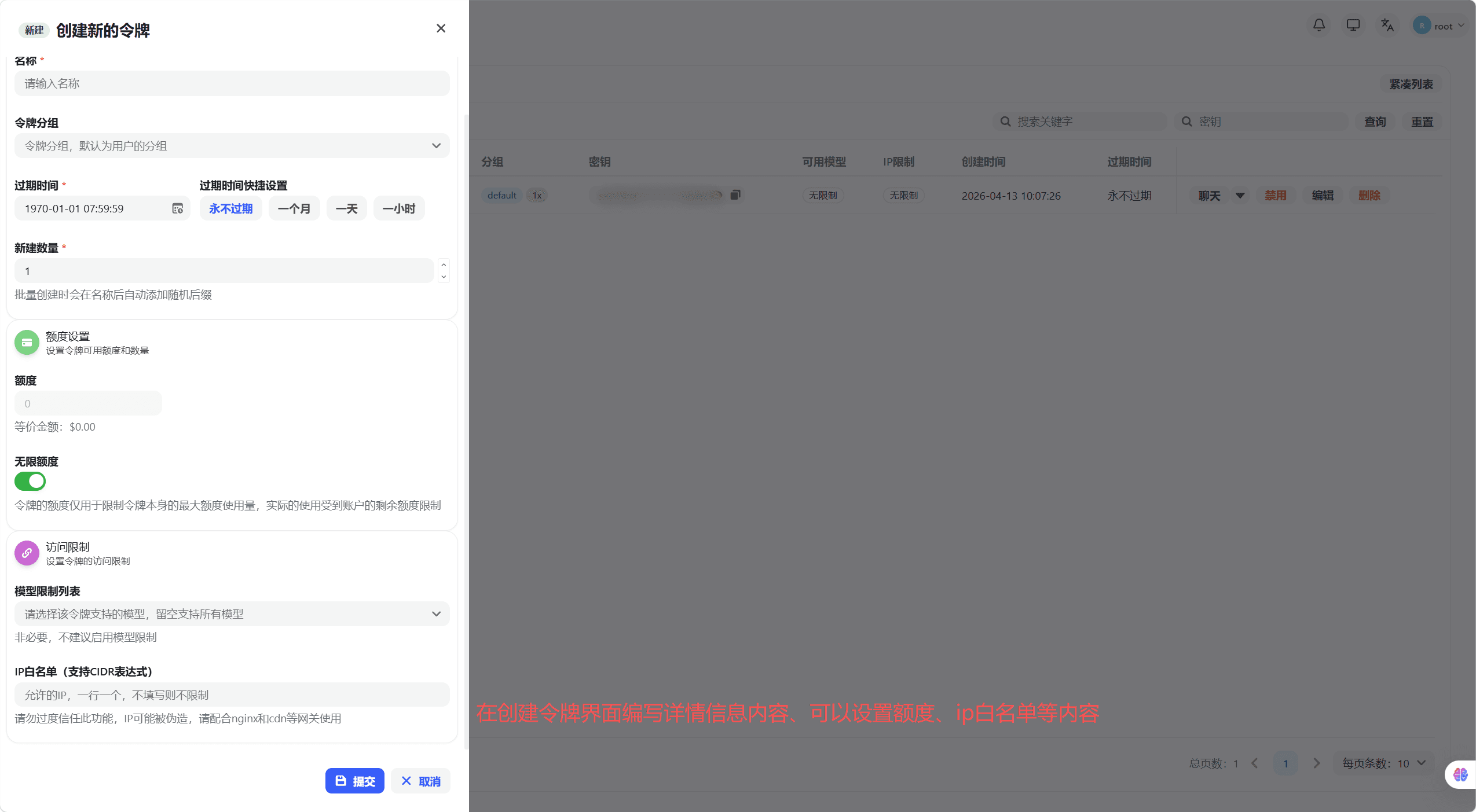
| Option | Description |
|---|---|
| Expiration | Set an expiry date; leave blank or set to -1 for no expiration |
| Remaining Quota | Limits the maximum quota this token can consume; auto-disabled when exceeded |
| Unlimited Quota | When enabled, no quota limit applies (still subject to account total quota) |
| Model Restrictions | Restrict this token to specific models; leave blank for no restriction |
| IP Allowlist | Restrict allowed source IPs; leave blank for no restriction |
| Routing Policy | Select a system-defined automatic route or configure ordered manual groups; cross-group retry is controlled separately |
- Click "Submit" — the dialog shows the complete token key. Copy and save it immediately, as it cannot be viewed again after closing the dialog.
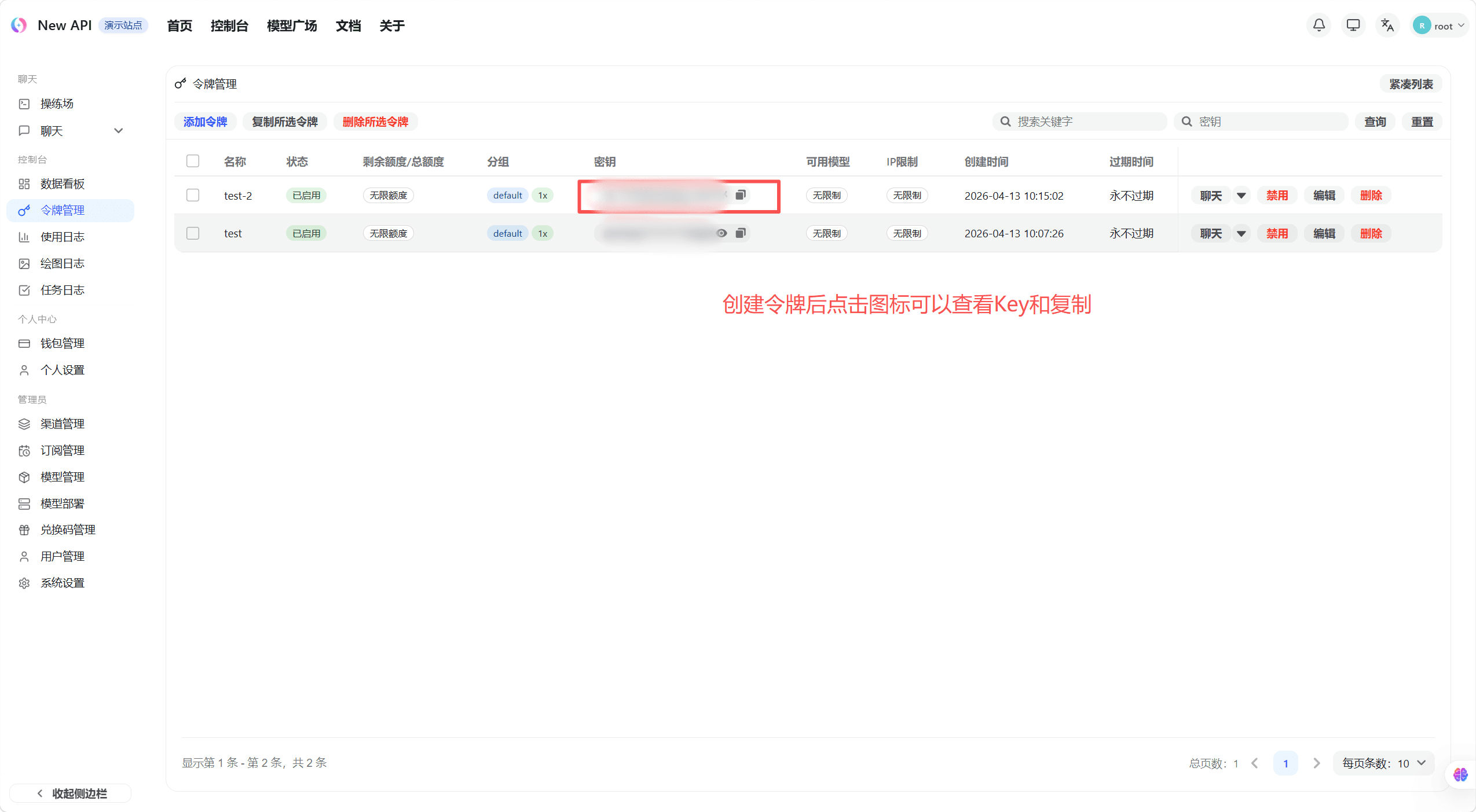
The token key is only fully displayed once at creation. Copy and save it immediately. Token keys have full API call permissions — do not share them with others or commit them to code repositories.
Configure API Key Routing
The create and edit drawer provides two routing modes: automatic routing and manual routing. The resulting order is shared by normal relay selection, affinity-channel matching, failure retry, and the model collection returned by GET /v1/models.
Automatic Routing
Automatic routes are defined by an administrator, for example auto, auto:fast, or auto:cheap. Each route card shows the groups currently contained in that route, and requests follow the administrator-defined group order.
Use automatic routing when an API Key should follow platform-wide routing changes. If an administrator later changes the groups in the route, the API Key adopts the new order without being edited individually.
Manual Routing
To pin an API Key to an explicit group order:
- Select Disable and select groups to switch to manual mode.
- Search for and select 1 to 8 currently available real groups. Automatic route keys cannot be added as manual groups.
- Put the groups in request order. Drag the handle, focus it and press
ArrowUp/ArrowDown, or use the move-up and move-down buttons on each row. - The first group is tried first. Later groups are used only when the route is allowed to advance.
In manual mode, GET /v1/models merges the available models from all ordered groups and de-duplicates them by model name instead of reading only the first group.
Cross-Group Retry
When Cross-group retry is enabled, a failed group advances to the next group in the automatic or manual order, excluding channels that already failed. When disabled, the request does not advance to another group. This switch does not disable every retry mechanism inside the current group.
A saved automatic route or manual group that is no longer selectable is marked Unavailable. It is preserved when only other fields such as the name or quota are edited. If routing itself is changed, remove or replace unavailable entries. At runtime, unavailable manual groups are skipped; if no usable group remains, the request fails instead of falling back to a random default group.
Management API Compatibility
New clients should send routing when creating or updating a token. Automatic-route example:
{
  "routing": {
    "version": 1,
    "mode": "smart",
    "route": "auto:fast",
    "retry_on_failure": true
  }
}
Manual-route example:
{
  "routing": {
    "version": 1,
    "mode": "manual",
    "groups": ["vip", "default"],
    "retry_on_failure": true
  }
}
Token detail responses include routing. A routing_legacy: true flag means the policy was synthesized from legacy fields at read time. GET /api/group also returns the auto_routes currently selectable by the user. Existing clients may continue sending only group and cross_group_retry. Omitting routing fields on update preserves the current policy, while explicitly sending cross_group_retry: false disables cross-group retry.
Edit or Delete a Token
Use the row actions to edit any setting except the token key itself, or delete the token. A deleted token becomes invalid immediately and cannot be restored.
How is this guide?