
Using the API
Replace OpenAI's base_url with the platform address and use your token as the api_key
Replace OpenAI's base_url with the platform address and use your platform-issued token as the api_key to start calling.
Playground
Playground is a built-in online testing tool. You can chat with models directly without writing any code — ideal for quickly verifying that your token works.
- Click "Playground" in the left sidebar, or visit
/console/playgrounddirectly
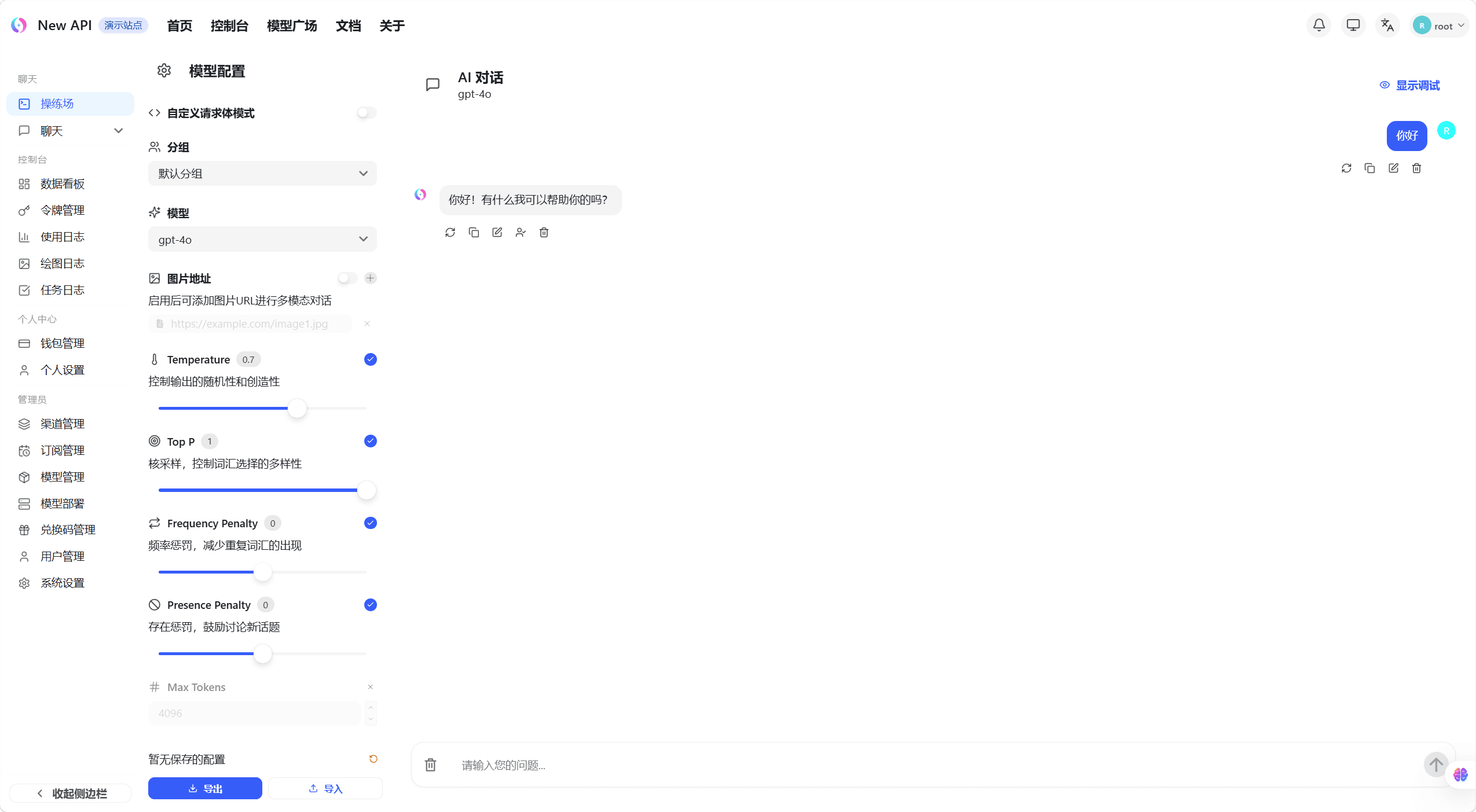
- Select the model you want to test from the left panel
- Type a message in the input box at the bottom and click Send
- The model's response appears in the conversation area on the right
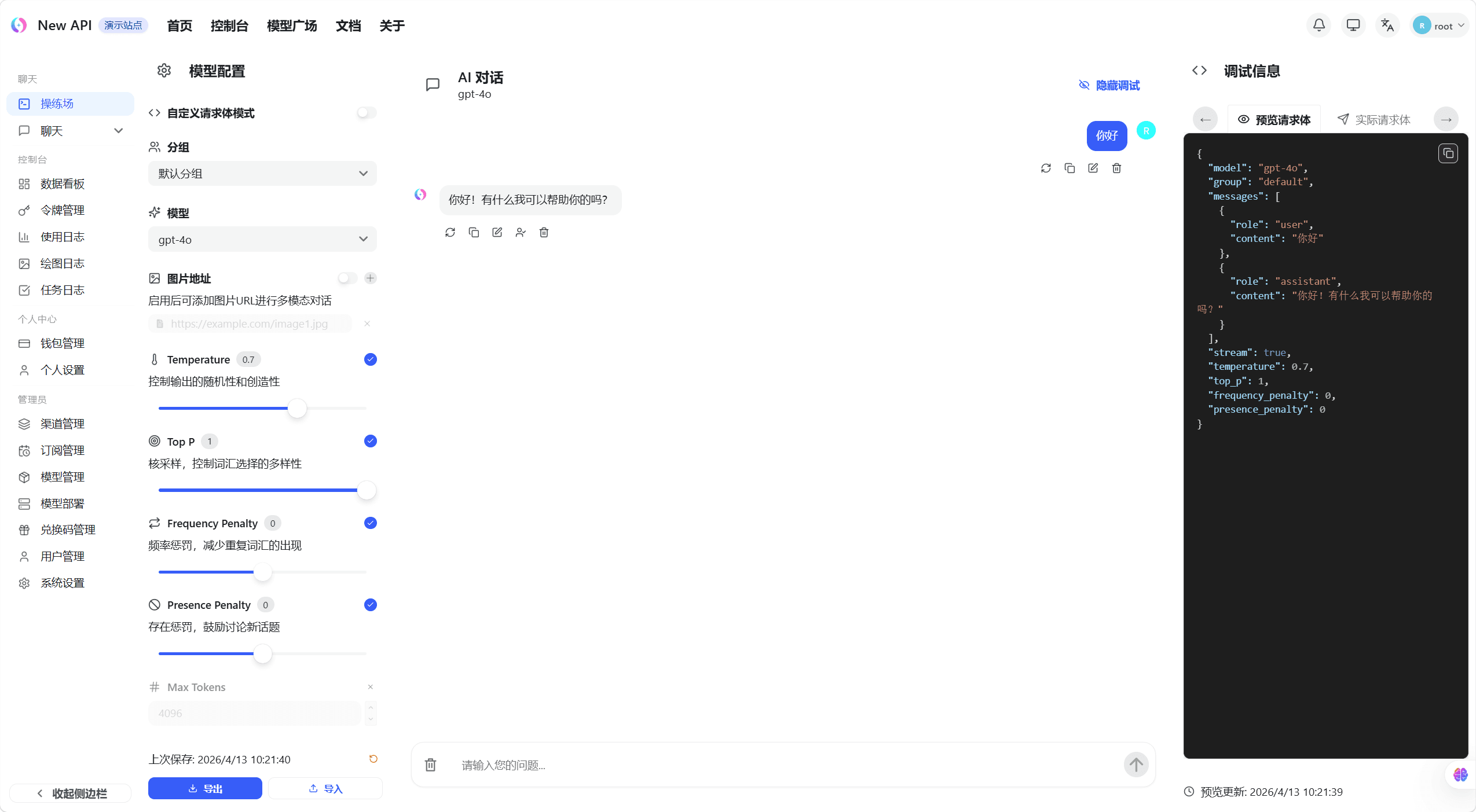
Select a Model and Group
Choose a model and an available group above the prompt. When you choose an auto or auto:* group, the Playground loads the model collection available to the current user. Actual availability still depends on the channels, groups, and permissions configured by an administrator.
Model Parameters
Select the parameter button in the prompt toolbar to open parameter settings. It opens in a popover on desktop and a bottom sheet on mobile. Each parameter must be enabled individually. Only enabled parameters are sent with the chat-completion request. Settings are stored in the current browser so they can be reused for later tests.
| Parameter | Range | Purpose |
|---|---|---|
| Temperature | 0 - 2, step 0.1 | Controls randomness and creativity. Lower values are usually more stable; higher values are usually more varied. |
| Top P | 0 - 1, step 0.05 | Limits candidate tokens to a cumulative probability mass. |
| Frequency Penalty | -2 - 2, step 0.1 | Reduces repeated wording. |
| Presence Penalty | -2 - 2, step 0.1 | Encourages the model to introduce new topics. |
| Max Tokens | 1 - 200000, integer | Caps response length. |
| Seed | 0 - 2147483647, integer, optional | Makes equivalent requests more repeatable on supported models. Leave it blank to omit seed. |
Values are normalized to the control range and step. Parameter support varies by model and upstream service. If an upstream service rejects an enabled field, disable that parameter or select a compatible model.
Get the API Address
- Visit the platform homepage
- Find the API Base URL display area in the middle of the page
- Click the copy button to copy the address to your clipboard
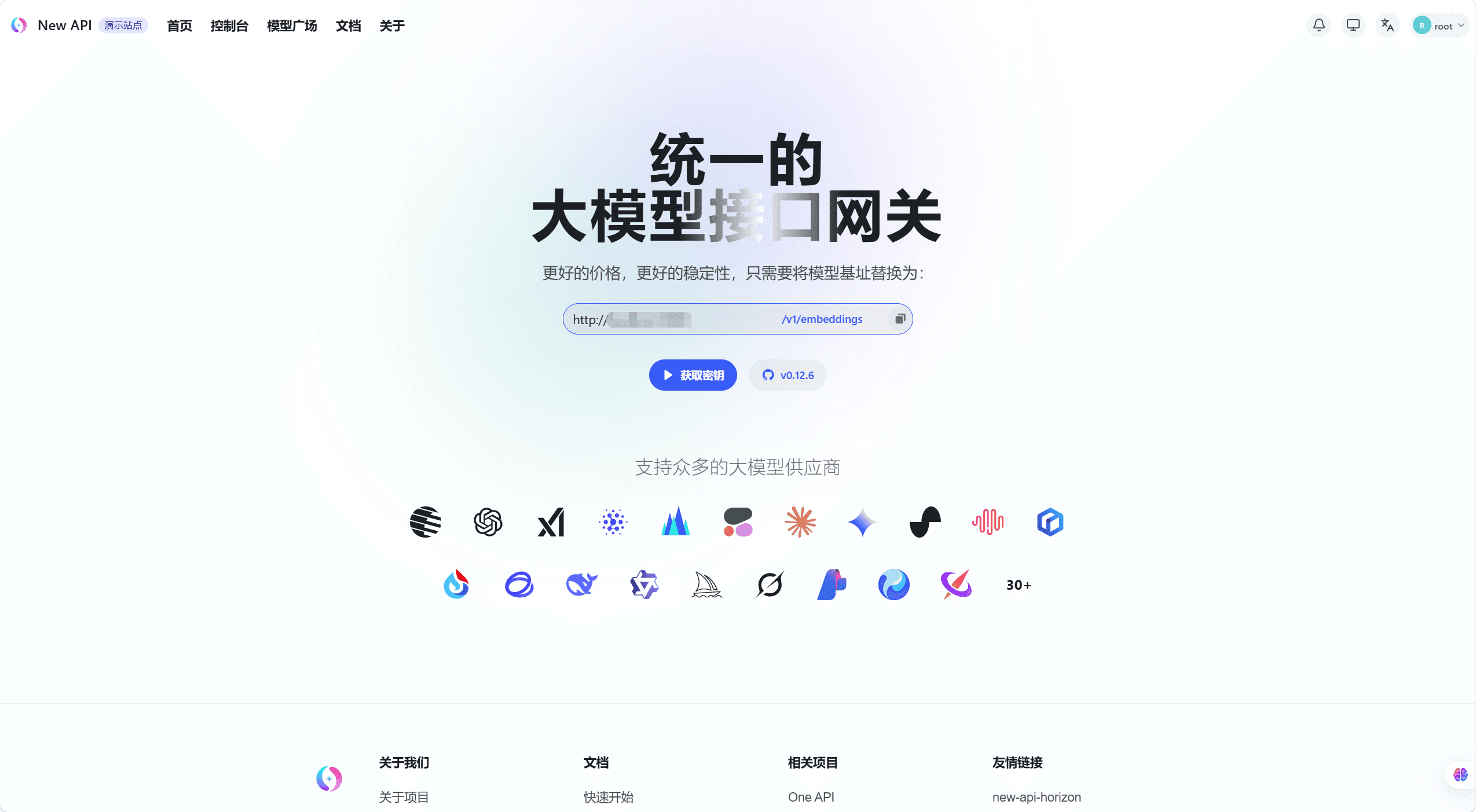
Use the copied address as base_url in your client or code, paired with your token.
Code Examples
Python (OpenAI SDK)
from openai import OpenAI

client = OpenAI(
    api_key="sk-xxxxxxxxxxxxxxxx",  # Your platform token
    base_url="https://your-platform.com/v1"
)

response = client.chat.completions.create(
    model="gpt-4o",
    messages=[{"role": "user", "content": "Hello!"}]
)
print(response.choices[0].message.content)
Claude Native Format
curl https://your-platform.com/v1/messages \
  -H "x-api-key: sk-xxxxxxxx" \
  -H "anthropic-version: 2023-06-01" \
  -H "content-type: application/json" \
  -d '{"model": "claude-3-5-sonnet-20241022", "max_tokens": 1024, "messages": [{"role": "user", "content": "Hello"}]}'
Gemini Native Format
curl "https://your-platform.com/v1beta/models/gemini-1.5-pro:generateContent?key=sk-xxxxxxxx" \
  -H "Content-Type: application/json" \
  -d '{"contents": [{"parts": [{"text": "Hello"}]}]}'
Supported Endpoints
| Endpoint | Path | Description |
|---|---|---|
| Chat Completions | POST /v1/chat/completions | Conversational generation with streaming support |
| Text Completions | POST /v1/completions | Legacy completions endpoint |
| Embeddings | POST /v1/embeddings | Text vectorization |
| Image Generation | POST /v1/images/generations | Text-to-image |
| Image Editing | POST /v1/images/edits | Image editing |
| Speech-to-Text | POST /v1/audio/transcriptions | Whisper and others |
| Text-to-Speech | POST /v1/audio/speech | TTS |
| Rerank | POST /v1/rerank | Document reranking |
| Responses API | POST /v1/responses | OpenAI Responses format |
| Alpha Search | POST /v1/alpha/search | Standalone Web Search relay for Codex and Advanced Custom pass-through routes; see OpenAI Alpha Search |
| Realtime | GET /v1/realtime (WebSocket) | OpenAI Realtime API |
| Models | GET /v1/models | List available models |
How is this guide?